
CleanMax Pro
Screenshots
What is CleanMax Pro
CleanMax Pro delivers fast device cleanup and real-time privacy scans for high-performance mobile use. Get storage back, stop background slowdowns, and take control of personal data with one-tap actions—download today for immediate impact.
📌 Core Features
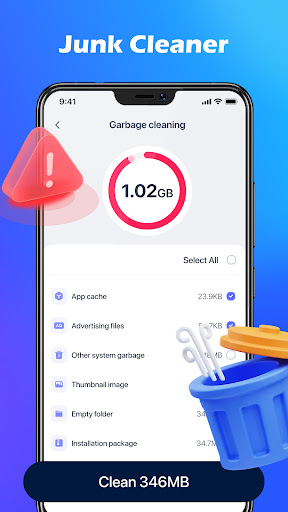
Smart Junk Cleaner: Scans cache, temporary files, and residual app data to free storage in minutes. One-tap cleanup clears clutter without manual effort. 🧹
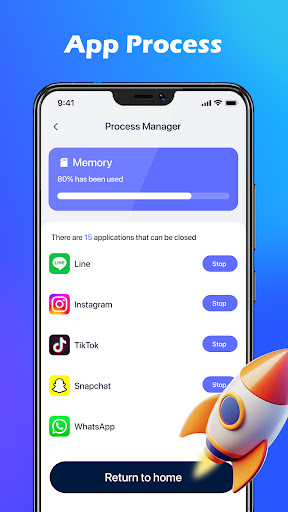
Performance Booster: Optimizes RAM and background tasks to improve app launch speeds and responsiveness. Short maintenance cycles reduce lag during heavy use. ⚡
Privacy Shield: Detects trackers, clears browsing traces, and flags risky permissions to protect personal data. Local processing minimizes data sharing with external servers. 🔒
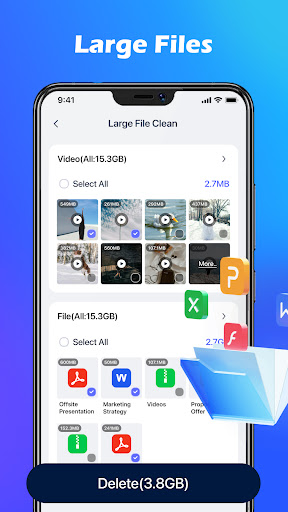
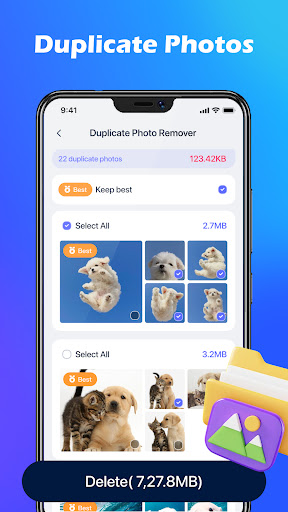
Duplicate File Finder: Identifies photos, videos, and documents that repeat to reclaim significant space quickly. Preview and batch-delete options simplify cleanup decisions. 🖼️
Scheduled Maintenance: Set automatic cleanups and performance checks to run during idle hours. Scheduling keeps devices optimized without manual attention. 📅
👍🏼 Pros
Fast, effective cleanup: Removes large caches and leftover files in under a minute on most modern devices. Results are visible immediately in storage stats. 🚀
Privacy-focused design: Many analyses are processed locally to limit external data transfer and reduce tracking. Clear privacy controls let users grant or revoke permissions easily. 🔐
Simple, energetic UI: Bright, direct interface guides users to actions with clear next steps and status indicators. Onboarding highlights key features without clutter. ✨
Flexible scheduling: Auto-clean and performance scans can be customized by time, frequency, and condition. Background maintenance stays out of the way during active use. ⏰
Responsive support options: In-app help, FAQs, and email support aim to resolve common issues quickly. Premium tiers include priority assistance for critical problems. 📞
👎🏼 Cons
Ad-supported free tier: The free version includes persistent ads that can interrupt workflows. Ads may push promotional upgrade prompts aggressively. ⚠️
Subscription model: Some advanced features require a recurring Premium subscription for full access. Long-term value depends on how often the app is used. 💸
Permission-heavy setup: Full functionality needs multiple system permissions that may feel intrusive to privacy-conscious users. Granting access is required for deep cleaning capabilities. 🔐
Occasional false positives: Aggressive cleaning heuristics can flag files that users may prefer to keep, requiring careful review before deletion. Manual checks are recommended for sensitive folders. ❗
Platform limitations: iOS versions may offer reduced cleaning scope due to system restrictions, limiting feature parity with Android. Expect some variance across devices. 📵
💰 Prices
Free tier available with basic cleaning tools and ads included. Premium unlock is $4.99/month or $29.99/year, with a one-time lifetime license at $59.99 and an optional 7-day free trial for new subscribers. In-app purchases cover cloud backup and premium support add-ons.
Similar Apps