Xfinity My Account
Screenshots
What is Xfinity My Account
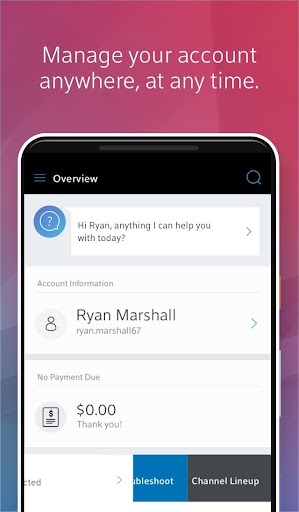
Get fast control over Xfinity services with the Xfinity My Account app designed for U.S. subscribers. Manage billing, troubleshoot devices, and monitor service status from a single, high-energy dashboard. Download now to simplify account management and stay connected.
📌 Core Features
Billing and payments: Manage bills, set autopay, and view statements instantly. Secure payment processing and payment history keep accounts current. 💳
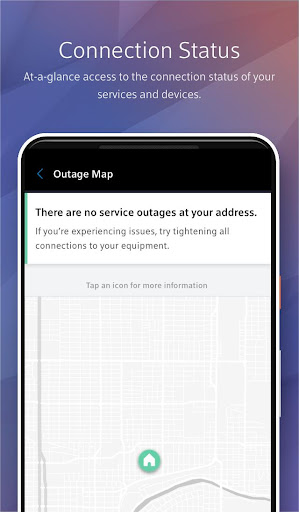
Outage and service status: View live outage maps and service alerts to track interruptions quickly. Estimated restoration times and status updates help plan around outages. 🌐
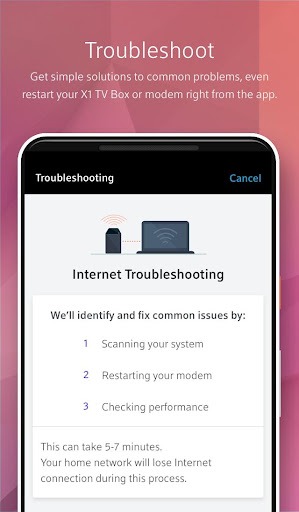
Equipment management: Restart the gateway, run diagnostics, and update firmware from the app. Remote tools reduce the need for technician visits and speed resolutions. 🛠️
xFi Wi-Fi controls: Configure guest networks, run speed tests, and prioritize devices for smoother streaming. Device pausing and profiles simplify household access management. 📶
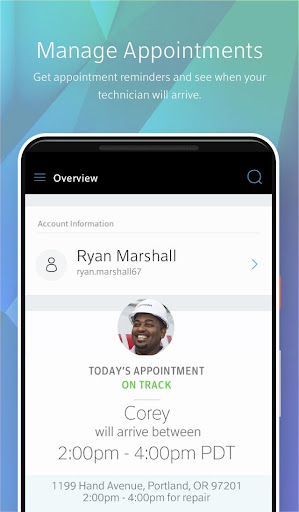
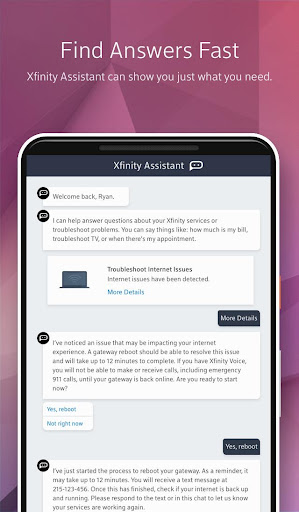
Support and troubleshooting: Start guided troubleshooting, chat with support, or schedule a technician in-app. Diagnostic logs and remote checks accelerate fixes. 💬
👍🏼 Pros
Fast bill handling: Quick access to invoices and one-tap payments speeds up chores. Autopay and payment reminders minimize late fees. ✅
Integrated support options: In-app chat and scheduling cut down wait times for help. Diagnostics often resolve issues without a visit. ⚡
Comprehensive device control: Manage connected devices, parental controls, and Wi-Fi settings from a single place. Profiles and pausing make family management simple. 📱
Real-time notifications: Receive outage alerts and service updates to stay informed on the go. Push notifications provide timely restoration estimates. 🔔
Streamlined account setup: Guided onboarding and clear UI speed new device setup. Helpful prompts get services running faster. ⚙️
👎🏼 Cons
Account and subscription required: Active Xfinity service is mandatory to access core features. Non-customers gain no benefit from the app. 🔒
Promotional upsells: Frequent offers to upgrade speed or add services can interrupt workflows. Promotional banners may distract during routine tasks. 💸
Data collection for personalization: Diagnostic and usage data is collected for performance and personalization. Privacy-conscious users may want tighter controls. 🔍
Occasional stability issues: Reports of crashes or slow loading can appear during peak times or updates. App performance varies across device models. 🐞
Limited third-party integration: Cannot manage non-Comcast devices or services from the app. Multi-provider households may need separate tools. 🚫
💰 Prices
The Xfinity My Account app is free to download and free for Xfinity customers to use for account management. Core features are included with active service, while technician visits, premium support, or new equipment may incur separate fees.