

Journal
Screenshots
What is Journal
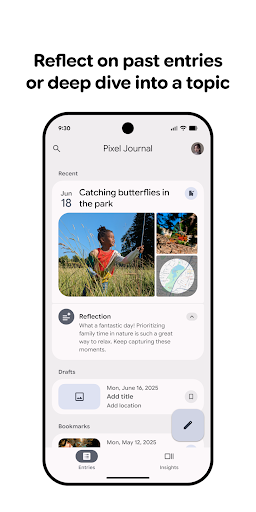
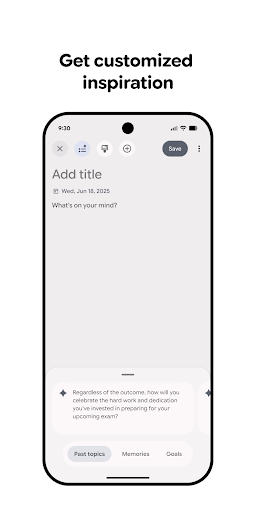
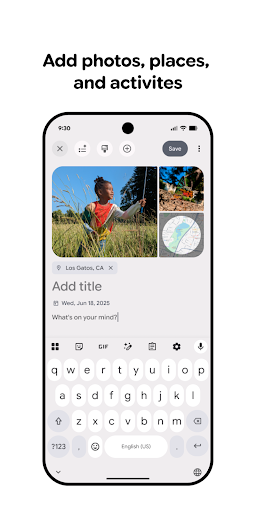
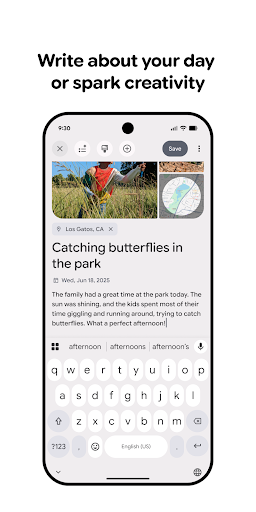
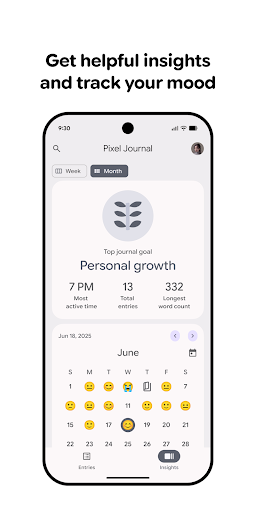
Journal is a sleek, privacy-first diary app that makes daily reflection fast, secure, and habit-driven. Capture moments, track moods, and sync across devices - start journaling with clarity and momentum today.📌 Core Features
End-to-end Encryption: Full end-to-end encryption protects entries locally and in transit, keeping sensitive thoughts private. Encryption keys are device-held unless cloud sync is enabled, aligning with common privacy expectations. 🔒
Offline Mode: Entries can be written and stored locally without an internet connection, ensuring journaling anywhere. Changes sync automatically when a connection returns for seamless continuity. 📥
Smart Prompts & Templates: AI-powered prompts and customizable templates help start entries and build habits. Prompt categories include gratitude, work reflection, and mood tracking to boost consistency. 🧠
Cross-device Sync: Secure cloud sync keeps journals available on phone, tablet, and web with quick conflict resolution tools. Optional end-to-end sync requires unlocking premium for full cross-device continuity. 🔁
Media & Export Options: Attach photos, voice memos, and PDFs with flexible export to PDF or plain text for backup and sharing. Batch export and selective entry sharing make migration and archiving straightforward. 📤
👍🏼 Pros
Privacy-first design: Strong encryption and local-first storage reduce exposure of private entries and meet common US privacy expectations. Biometric lock or passcode adds device-level protection. ✅
Fast entry experience: Quick-add widgets, voice input, and streamlined UI make journaling under 60 seconds practical. Save drafts automatically so thought flow is preserved. ⚡
Powerful search: Full-text search, tag filters, and timeline views help locate past entries instantly. Search supports dates, moods, and custom tags for deep retrieval. 🔍
Custom reminders: Flexible reminders and streak tracking support habit formation with nudges that fit any schedule. Notification settings are granular to avoid overload. ⏰
Export and backup: Manual and scheduled exports protect data and simplify migration to other tools. Cloud backups are optional so local control remains possible. 📈
👎🏼 Cons
Subscription model: Key features like cross-device encryption and advanced prompts require a paid subscription, which may deter casual users. Monthly costs add up for multiple devices. 💸
Limited free tier: Free plan restricts media attachments and export limits, so full functionality needs upgrading. Basic journaling remains available but feels constrained. 🧾
Occasional sync delays: Large media uploads or weak networks can cause delayed syncs or conflicts that require manual resolution. Most issues resolve after reconnecting, but interruptions occur. ⏳
Learning curve for power features: Advanced search, templates, and analytics take setup time to master for new users. Some features are buried in settings and need exploration to unlock value. 📚
Media storage limits: High-volume photo or audio journals can hit storage caps without a paid plan, prompting extra cloud costs or manual cleanup. Users with multimedia habits should monitor usage. 📉
💰 Prices
Free tier includes basic journaling, local storage, and limited prompts to get started. Premium unlocks end-to-end sync, unlimited media, advanced prompts, and scheduled exports for $4.99/month or $29.99/year. A one-time lifetime license is available for about $79.99; upgrade to secure full functionality.
Similar Apps