

MyQuest for Patients
Screenshots
What is MyQuest for Patients
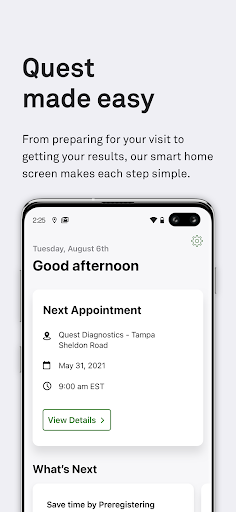
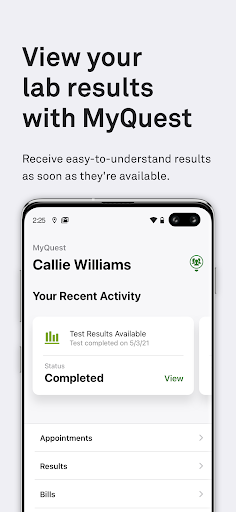
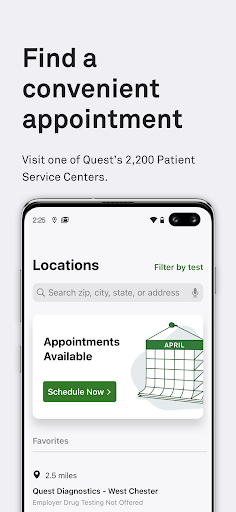
MyQuest for Patients delivers lab results, appointment scheduling, and prep instructions in a focused mobile experience for US users. Download the app to get faster access to test data and start taking action on health information today.
📌 Core Features
Lab Results at a Glance: View verified lab results as soon as they are released, with clear reference ranges and flags for abnormal values. Exportable PDFs and charts make sharing with providers straightforward. 📊
Appointment Scheduling: Book, view, and modify lab appointments with real-time availability and location details. Calendar sync and reminders reduce missed visits and streamline planning. 📅
Secure Messaging: Send secure messages to lab staff or providers for questions about orders or results. HIPAA-compliant encryption protects sensitive health information during transmission. 🔒
Test Prep & Instructions: Receive specific preparation steps and fasting reminders tailored to each test to improve accuracy. Clear, actionable instructions reduce appointment confusion and no-shows. 🧾
Account Linking & Records: Link multiple orders and family accounts to consolidate records in one place for easier tracking. Searchable history and export options simplify sharing with other clinicians. 🔗
👍🏼 Pros
Fast Result Delivery: Results appear promptly when released by the lab, cutting down on waiting and uncertainty. Push notifications keep attention on new findings so follow-up can happen quickly. ⚡
Clear Result Interpretation: Reference ranges, flags, and linked educational content help make results understandable. Visual charts and PDFs aid communication with care teams. ✅
Convenient Reminders: Automated appointment and prep reminders reduce missed tests and improve compliance. Customizable notifications fit personal schedules and preferences. ⏰
Provider Integration: Works with participating healthcare systems to show orders and results in one consolidated view. Seamless updates reduce the need for phone calls and manual tracking. 🔄
Accessible Design: Simple navigation and readability support users of varying tech comfort levels. Accessibility features and clear labeling enhance usability across patient groups. 🧭
👎🏼 Cons
Limited to Participating Labs: Coverage depends on clinic and lab partnerships, so some results may not appear in the app. Users may still need to visit other portals for non-participating providers. ⚠️
Account Setup Hurdles: Linking accounts can require order numbers, verification steps, or provider codes that may confuse some patients. Support is available but initial setup can delay access. 🔁
Sync Delays Occasionally: Result availability can be affected by provider processing times and system syncing. Time-sensitive information may still require direct provider contact. 🕒
Variable Family Permissions: Family account access and permission levels differ by lab and provider, which can complicate caregiver coordination. Clear consent workflows are not uniform across all partners. 📍
Reliant on Connectivity: The app needs network access for full functionality, so offline use is limited to previously downloaded documents. Live updates and messaging require an active connection. 📶
💰 Prices
Free to download and use for patients whose labs are processed by participating providers. No subscription or in-app fees for core features like results viewing and appointment scheduling, though actual lab tests and services are billed by providers.