
Auto Clicker - Automatic tap
Screenshots
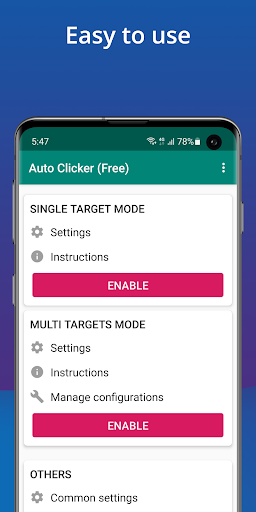
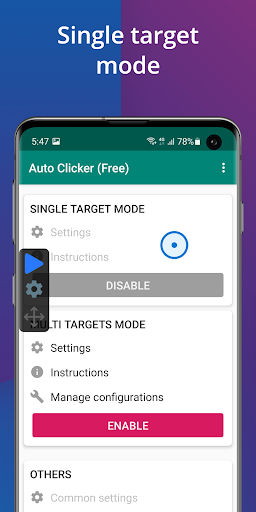
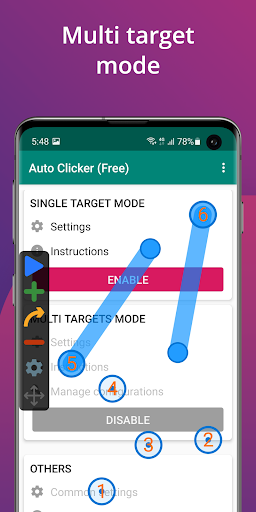
What is Auto Clicker - Automatic tap
Auto Clicker - Automatic tap delivers reliable, repeatable tapping for Android to speed through repetitive tasks and boost productivity. High-energy automation built for gamers and power users in the US - download and automate taps in seconds.
📌 Core Features
Multi-point tapping: Supports multiple simultaneous tap points for complex sequences. Users can set coordinates and run them in loops for hands-free operation. 🔁
Adjustable intervals: Fine-grained timing controls let users set exact delays between taps. Interval ranges accommodate fast clicking and slow automation alike. ⏱️
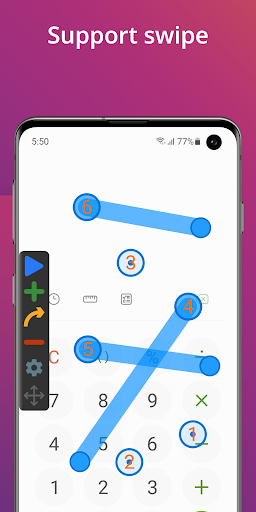
Gesture recording: Capture swipes, drags, and multi-touch gestures for playback. Recorded actions can be edited and replayed for precise automation. 🎯
Floating control widget: Start, pause, and edit scripts from an on-screen overlay without leaving the active app. Widget keeps controls accessible during gameplay or multitasking. 🧭
Background operation: Runs reliably in the background with minimal interruption to foreground apps. Background mode supports long sessions for extended tasks. ⚡
👍🏼 Pros
Simple setup: Quick installation and minimal configuration get tapping running in under a minute. No account or cloud setup required. ✅
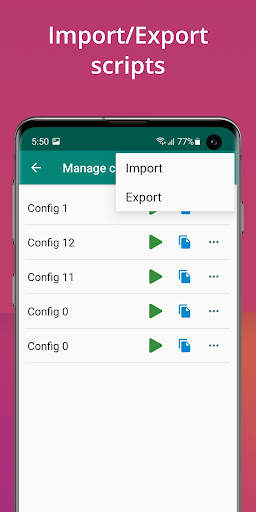
Customizable profiles: Save multiple tap profiles for different apps and scenarios. Switching between profiles is fast and intuitive. 🚀
Battery efficient: Optimized loops reduce CPU overhead during repetitive tapping. Results in less battery drain compared with heavy automation tools. 🔋
Free tier available: Core features are free with ads so testing is risk-free before purchase. Access basic automation without payment. 💸
Reliable timing: Stable interval timing keeps actions consistent across sessions. Works well for games and routine tasks that require precision. 🎯
👎🏼 Cons
Accessibility permission required: The app needs Accessibility access to simulate taps, which some users may find intrusive. Granting permissions is necessary for full functionality. ⚠️
Ads in free version: Frequent banner or interstitial ads appear in the free tier and can disrupt workflows. Ad-free experience requires purchase. 💬
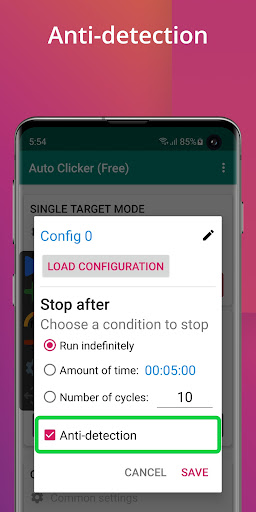
Potential game detection: Using automation in competitive games risks account penalties if terms of service prohibit macros. Use caution with online multiplayer titles. 🚫
Limited scripting: Lacks advanced scripting or conditional logic present in professional automation suites. Complex automation tasks may require external tools. 🛠️
Background resource use: Continuous tapping in long sessions may increase CPU usage and heat on older devices. Monitor device performance during extended runs. 🔥
💰 Prices
Free with ads and core automation features available at no cost. One-time Pro unlock typically priced around $3.99 removes ads and adds advanced controls, with some vendors offering a monthly subscription alternative. Download the free version to test functionality and upgrade for an ad-free, feature-rich experience.
Similar Apps